Import Quickly
Export passwords from Chrome CSV and import all at once.
No Servers. No Leaks. Just Security.
Stop trusting servers with your personal data.
No signup. No cloud. 100% offline.
Trusted Experience
“No servers involved for daily usage means your sensitive records remain where they belong: in your hand.”
Product Screenshots
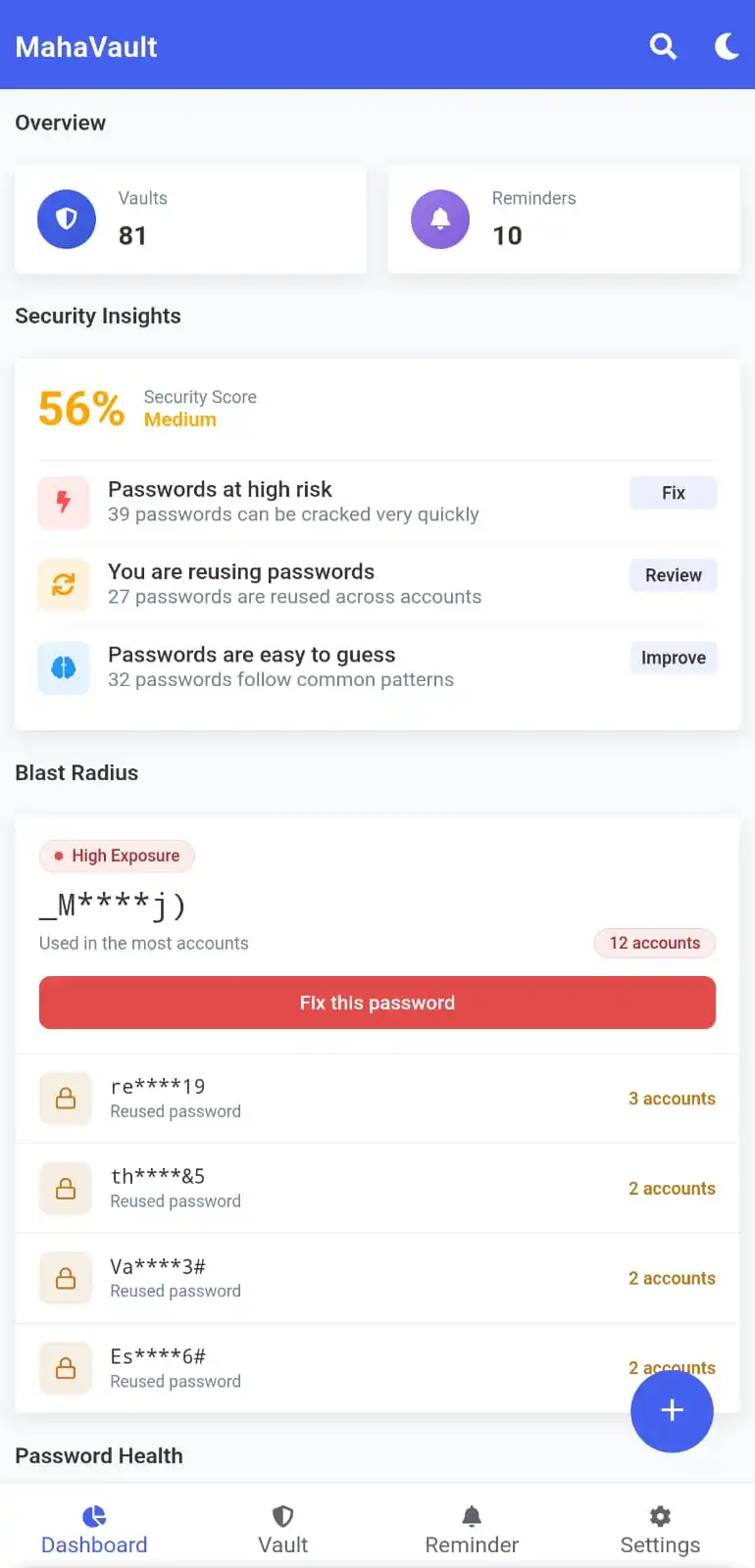
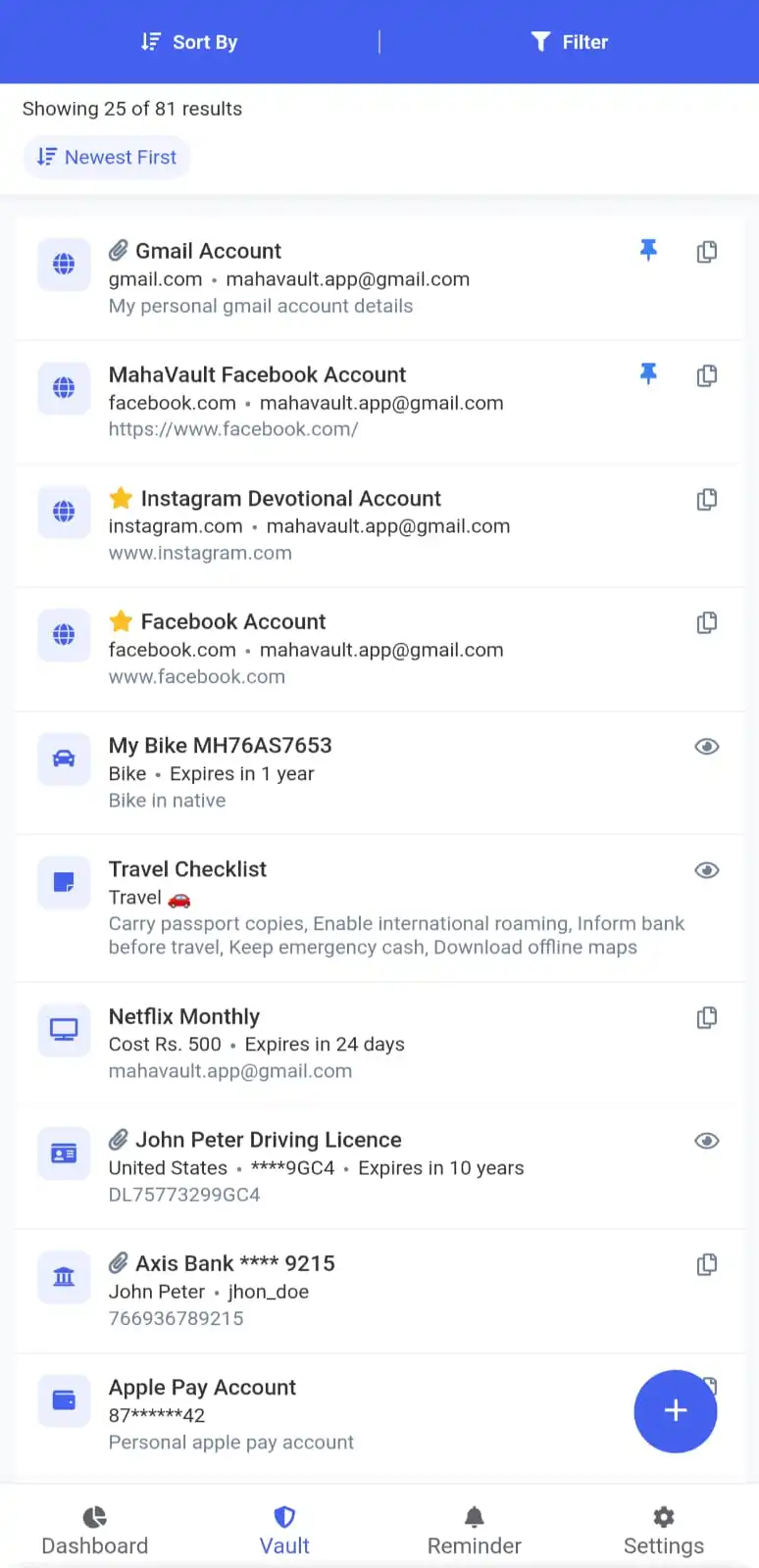
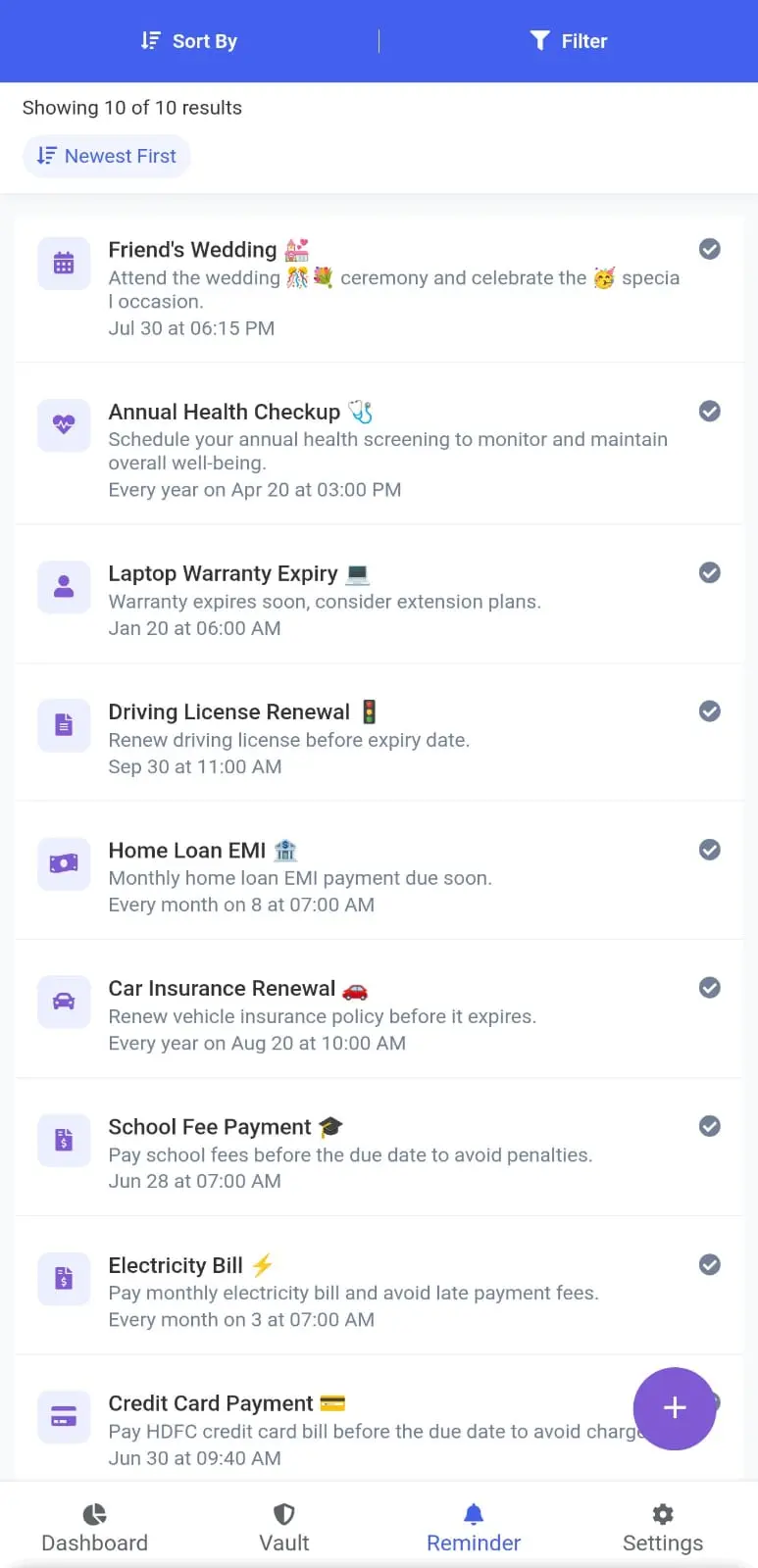
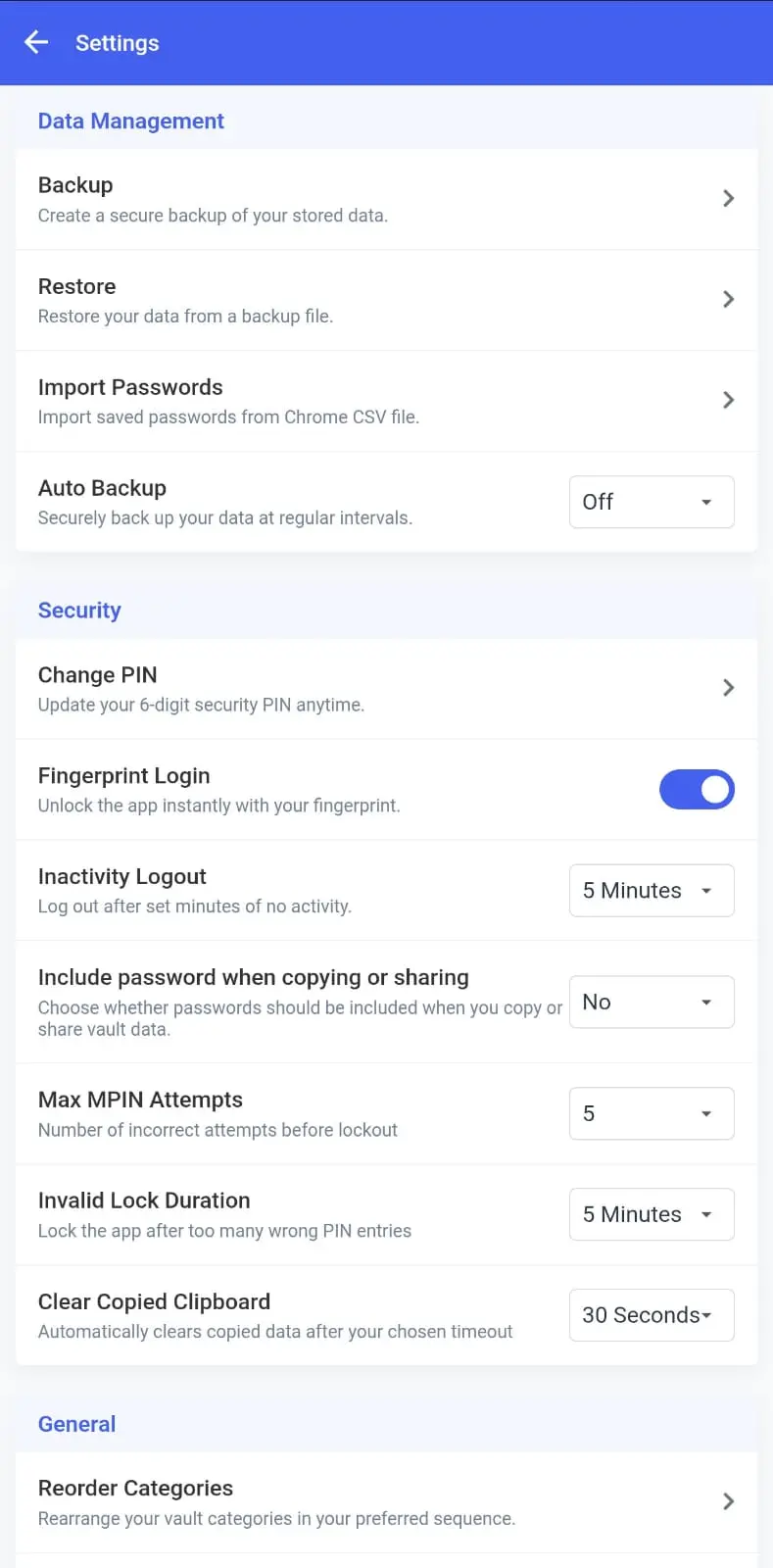
Real app views from key workflows: dashboard, vaults, reminders, and settings.
How It Works
Designed to make migration and daily usage fast, secure, and stress-free.
Export passwords from Chrome CSV and import all at once.
Save vaults, attachments, and reminders in structured sections.
Use powerful settings, password analysis, and backup workflows daily.
Who Is It For
People who do not want their sensitive records living on someone else's server.
Users who need passwords, IDs, subscriptions, and reminders organized in one secure app.
Anyone who wants clear password health insight and stronger account hygiene.
Users tired of cluttered free apps and looking for a clean daily experience.
Why MahaVault
Built for practical security and clear data ownership.
Not just a password list. MahaVault combines structured vaults, reminder automation, password health insights, and an offline-first architecture that keeps control on your device.
From bank accounts and cards to software keys, insurance, and secure notes.
One-time and repeat reminders with daily, weekly, monthly, and yearly schedules.
MPIN, fingerprint login, lockout duration, inactivity logout, clipboard auto-clear.
Create your own backup key and restore securely whenever needed.
Dashboard
Track total vaults, reminders, upcoming due items, password risk alerts, top-used records, and backup freshness in one overview.
Vault Actions
Pin favorites, copy fields instantly, attach files, and open quick actions from every vault without hunting through settings.
Reminder Ops
Schedule due dates for bills, renewals, documents, and personal events with local notifications and completion tracking.
Why Switch Now?
Every sync, every login, every backup can pass through external servers. MahaVault keeps everything on your device. Always.
Start protecting your passwords and private records today with an offline-first app built for everyday trust.
iOS app is currently in progress and will be released soon.
Why Users Choose MahaVault
Security-first design: MPIN, biometric lock, auto-logout, clipboard clear controls.
Complete organization: Category-based vault structure with fast search and smart sorting.
Reliability: Reminder workflows, backup control, and restore support when needed.
Customer Testimonials
Based on early user feedback from active Android users.
Average early-user rating: 4.9/5

Sathya
★★★★★
“Moved 120+ saved passwords using Chrome CSV and started same day. Smooth and secure.”

Rama Raj
★★★★★
“Finally found a password manager with no ads and no cloud stress. Exactly what I needed.”

Neelasuriyan
★★★★★
“Password health and reminders helped me clean up weak logins and stay on top of renewals.”
iOS Release
Android is available now. iOS updates will be shared via our official social channels and website announcements.